Koshur Keyboard for iOS & Android
Two keyboards in one app.
Pick either Kóshurkhat or the Classic: Perso-Arabic Nastaliq.
Perso-Arabic Nastaliq
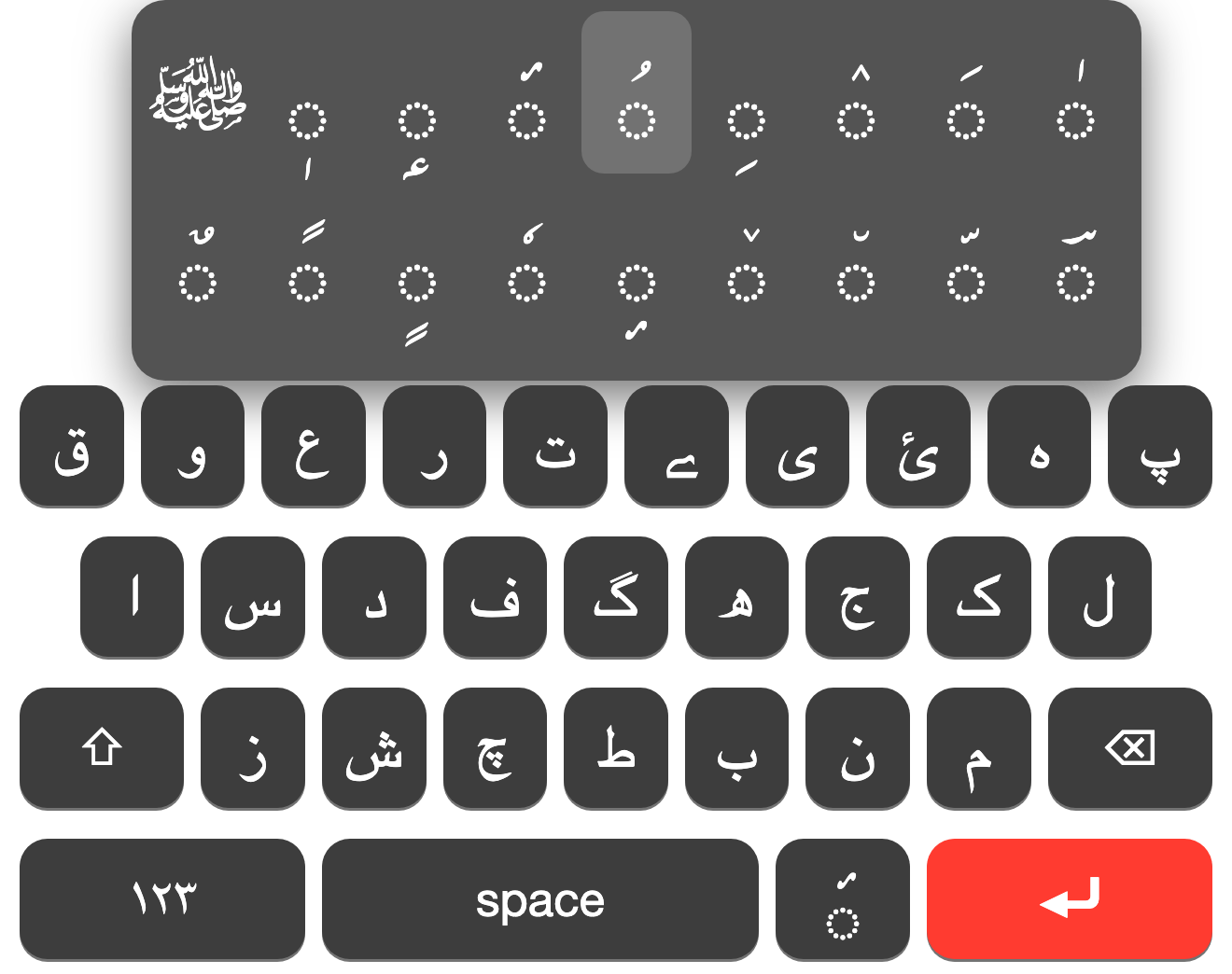
Full Nastaʿlīq-oriented layout. Shift reveals the second letter set, including ؠ. A dedicated diacritics key sits beside the spacebar - tap for hamza above (ٔ), press and hold for the full mark grid focused on pesh (ُ).
Latin
Accent keys for the letters Kóshurkhat needs: ṭ ḍ è ě ó ö á č and more. Type the letter, then the accent. Long-press the base letter works too.
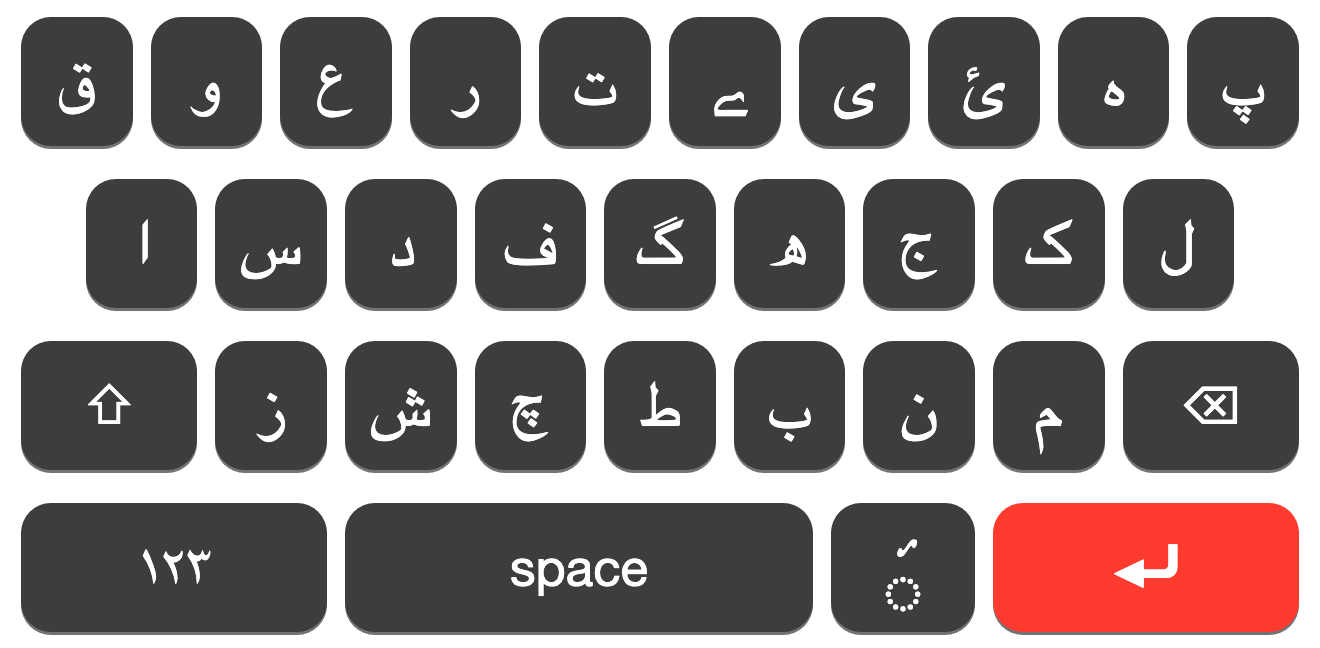
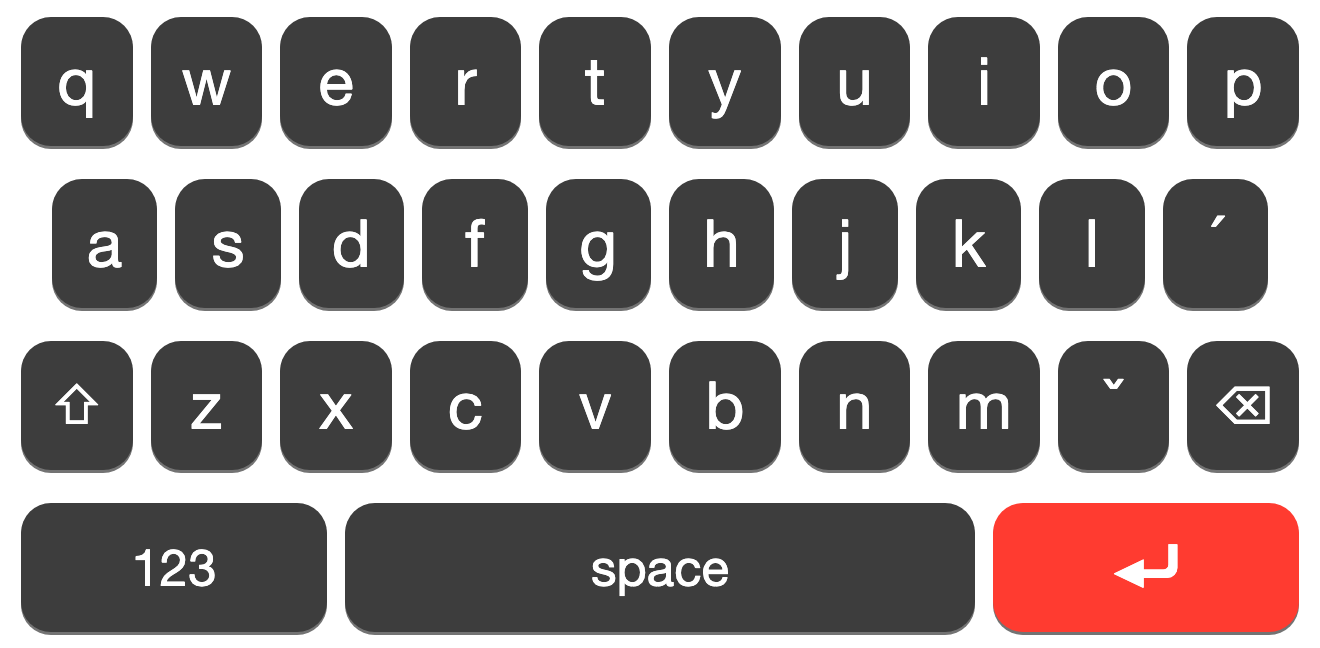
Letter, then accent.
A dead key does not print by itself - it attaches to the letter you just typed. Koshur Latin uses this so you don’t need a dedicated key for every accented character.
- Type the letter first, then tap ´ or ˇ.
- Matches how Kóshurkhat is written - accent after the base character.
- Accent-first does not combine. Always letter, then accent.
Missing accents, fixed.
Some Kashmiri marks were hard or impossible to reach on iOS. We fixed that: the accents that were missing are back in the layout, so you can write full Perso-Arabic Kóshur without workarounds.
On-device. No accounts. No tracking.
Nothing you type is stored or transmitted. On iOS the keyboard does not request Full Access, so the system itself blocks network access. On Android, typing stays on the device the same way.
No analytics, no advertising, no login. Accents and diacritics combine locally; that’s the only job the keystrokes have. Read the Privacy Policy.
Common questions.
Why doesn’t the keyboard appear after I install?
On iOS, enable it in Settings → General → Keyboard → Keyboards → Add New Keyboard…. On Android, install FUTO Keyboard and turn on the Koshur layouts there. Full walkthrough on Support.
Is it private?
Yes. Nothing you type is stored or sent. On iOS we never request Full Access. Accents and diacritics combine on-device on both platforms.
How do dead keys work on Kóshurkhat?
Type the letter first, then ´ or ˇ. Accent-first does not combine. Examples: t then ´ → ṭ, c then ˇ → č. Full map on Accents, or the typing guide on Support.
iOS or Android?
Both. On iOS, get Koshur Keyboard from the App Store. On Android, the layouts ship inside FUTO Keyboard. Same letter-then-accent combining either way.
Will there be autocorrect?
A Kashmiri dictionary with on-device suggestions is planned. It will not require sending your typing to a server.
Write Kóshur on your phone.
iOS - download Koshur Keyboard. Android - the layouts are in FUTO Keyboard. Questions: info@yimberzol.org